Create a rainy chai-stall illustration
A warm painted scene for a story cover or social post.
How it will look

What you’ll get
A square, warm-lit chai-stall illustration in a hand-painted style.
Loading the next field note…
211 templates · 20 categories · English & Hindi. Choose a task and preview the output.
Ready-made Prompt Packs: YouTube, business, study & jobs →
Free · email required to copy
Replace the [brackets] with your details, then paste the prompt into your AI assistant.
211 promptsA warm painted scene for a story cover or social post.
A square, warm-lit chai-stall illustration in a hand-painted style.
A simple studio-style image for a product moodboard.

An AI-generated studio-style mug image; a concept, not a photograph of a real listed product.
A playful robot-and-flower scene with a sticker-like look.
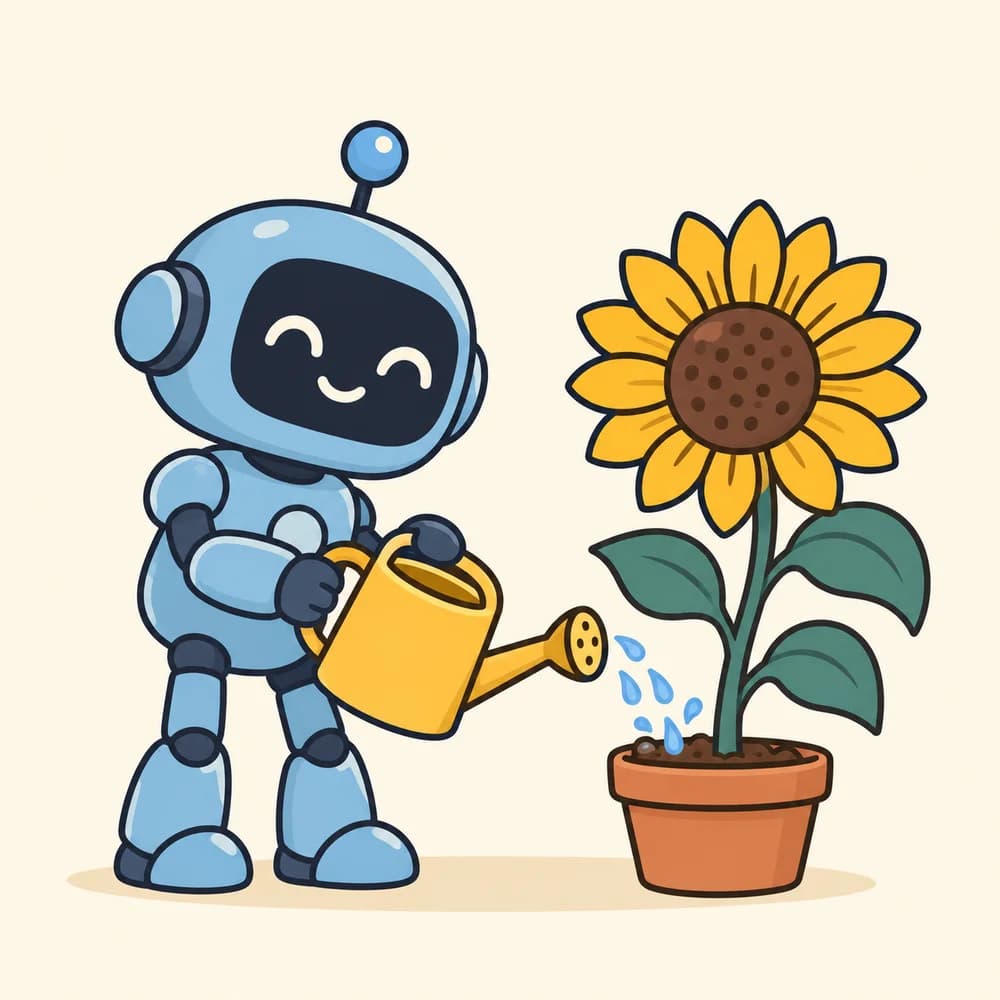
A square robot illustration with a flat, sticker-like visual style; delivered as an image, not an editable vector file.
Keep your meaning. Make every sentence easier to read.
Welcome! Your first guide arrives on Friday. Reply if you need help.

Edit note: moved the delivery date into the first sentence.
Illustrative sample excerpt
A clearer version of your draft and three notes explaining the edits.
Start with the reader’s question and a clear structure.
Title: Choosing your first website host
1. What your site needs
2. Costs to verify
3. Support and migration questions
Conclusion: compare before paying.
Illustrative sample excerpt
An article outline with headings, talking points, and facts to check.
Define the work, the deliverables, and the decisions needed.
Proposal: bakery website
Scope: five pages, menu, opening hours.
Timeline: four weeks, subject to content approval.
Budget: to confirm.
Next: approve scope and supply photos.
Illustrative sample excerpt
A client proposal covering scope, deliverables, timeline, and open questions.
Separate decisions from ideas, with owners and open questions.
Decision: update the homepage.
Task: write new copy.
Owner: Priya.
Due date: not agreed.
Open question: should a newsletter be added?
Illustrative sample excerpt
A meeting summary, decisions, and a task table with owners and deadlines.
Find the cause before making changes.
Hypothesis: the handler is registered twice.
Check: log each invocation and review event registration.
Fix: remove a duplicate only if confirmed.
Test: one click increases the count once.
Illustrative sample excerpt
Likely bug causes, a small diagnostic check, a proposed fix, and a regression test.
Trace what it receives, changes, and returns.
Input: three orders with customer IDs.
Output: orders grouped by customer.
Example: two orders for A appear in A's group.
Check: how are missing IDs handled?
Illustrative sample excerpt
A plain-language code walkthrough with a worked example and edge cases.
Introduce your offer with one useful next step.
Subject: Your balcony garden starts here
Preview: One useful tip each Friday.

Hi! Welcome to our gardening notes. Every Friday, we share one seasonal tip for your balcony. Start with the beginner guide: [link].
Illustrative sample excerpt
Three subject lines, preview text, and a welcome email under 180 words.
Build posts around real audience questions.
Monday: how to store bread — carousel.
Tuesday: fresh-batch schedule — photo.
Wednesday: ordering guide — short video.
Thursday: ingredient question — story.
Friday: weekend menu — photo.
Illustrative sample excerpt
A five-post plan with topics, opening lines, formats, and next steps.
A guided template to write a scene through dialogue.
“Did you keep the key?”
“Only because you never came back.”
Illustrative sample excerpt
A dialogue-led scene with distinct character voices.
Yes. The 16 steps in the YouTube, Student, Small Business and Job Application packs have Add details forms. Open a step, fill the required fields, choose optional tone and length, and review your ready prompt. Use email-enabled copying when available, or select the visible text manually. This creates a prompt in your browser; paste it into an AI assistant to get an answer.
An AI prompt template is a reusable set of instructions for an AI assistant. Replace the bracketed fields with your goal, audience, and source information to get a draft suited to your task.
Yes. All 211 templates are free to browse in English and Hindi. There is no payment or paid tier. Email-enabled copying requires successful registration for this visit; if it is unavailable, you can select the prompt text and copy manually. Registration does not create an account, verify email ownership, or subscribe you to marketing emails.
Choose a category or search for your task. Read the expected result, replace the bracketed fields, and paste the template into your assistant. Visible prompt text can also be selected and copied manually. Check the answer before using it; available features and results differ by tool.
You can request writing drafts, study plans, coding explanations, business checklists, design briefs, budgets, travel plans, and more across 20 categories. Each card describes the expected deliverable. Three image cards include generated sample images and their exact prompts; every other card has an illustrative written sample excerpt. Results vary by tool and run.
Check facts, calculations, links, and whether the answer fits your situation. Do not paste passwords or private information. For medical, financial, or legal decisions, use qualified guidance rather than relying on an AI draft.